1. Open the event
Use the event link or scan the QR code shared by the photographer or organizer.
Take a selfie and find the photos you appear in from a wedding, college fest, corporate event, party or other gathering. ShowMyPhoto face search works in the browser, so guests can search without downloading an app or creating an account.
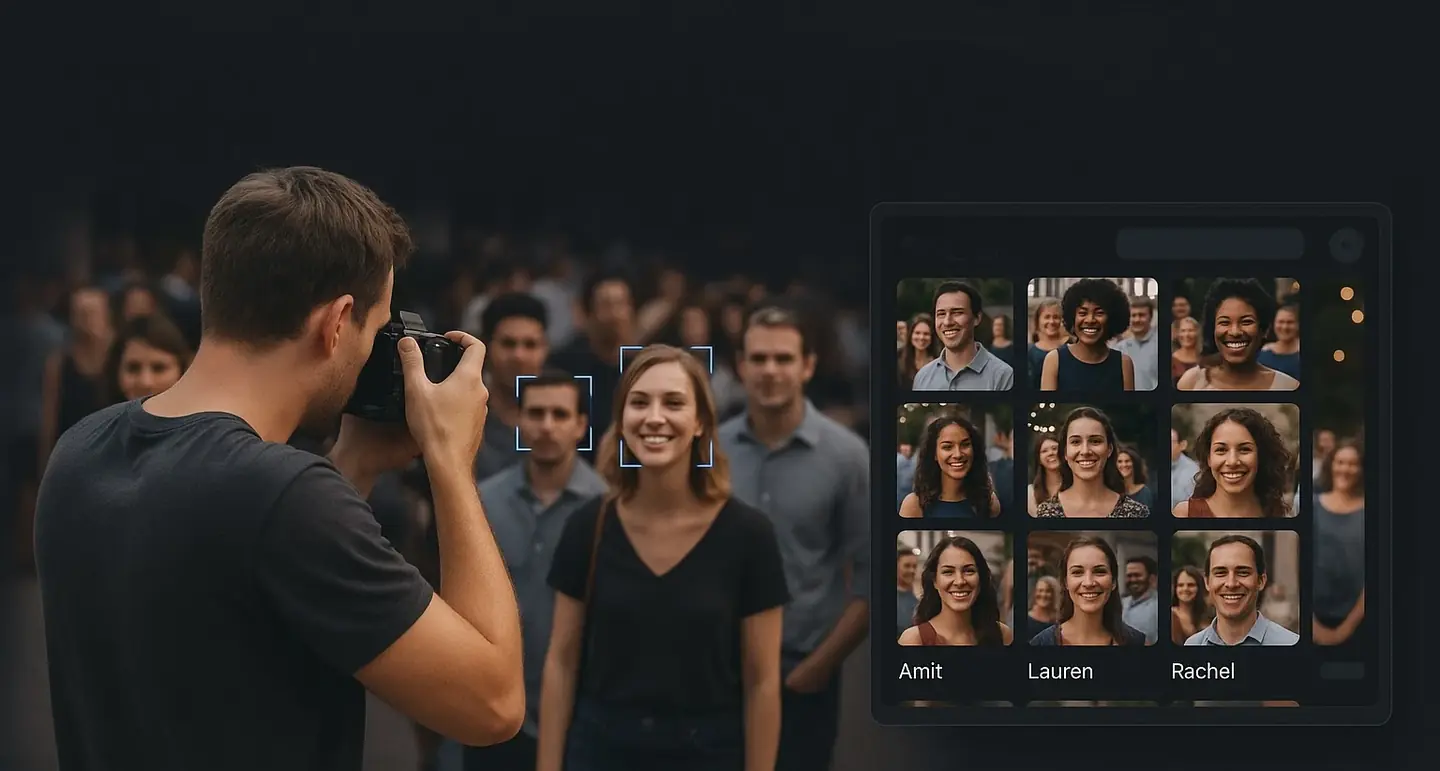
Search the event gallery using one selfie.
Face search lets an event guest search a photo gallery using a selfie instead of browsing thousands of images. ShowMyPhoto compares the selfie with faces indexed from the event's uploaded photos and returns matching images in the browser.
Use the event link or scan the QR code shared by the photographer or organizer.
Use a clear, front-facing selfie with one person in frame and enough light for the camera to see the face.
The event gallery returns photos matched to the submitted selfie. You can then view, favorite, download or share them according to event settings.
A large wedding or event gallery can contain thousands of images. Face search narrows the result to photos associated with the guest's selfie.
The search runs in the browser, which is useful when a guest does not want to install another application for one event.
The search is tied to the event gallery shared by the organizer, rather than requiring the guest to search a global photo collection.
| What you see | Possible reason | What to try |
|---|---|---|
| No photos found | The photographer may still be uploading, or the selfie may not provide a strong match. | Check again later and retry with a clearer, front-facing selfie. |
| Only a few matches | You may be far away, turned sideways, wearing sunglasses or a mask, or affected by motion blur. | Retry without accessories and ask the photographer for help if needed. |
| Camera does not open | Browser camera permission may be blocked. | Allow camera access in the browser settings and reload the page. |
| Download is unavailable | The photographer may have disabled downloads for the event. | Contact the photographer or organizer. |
Photographers create the event, upload photos and share the event link or QR code. Faces are indexed in the background, so there is no need to manually tag each person.
Tell guests where to find the event link or QR code and how to take a clear selfie. A short instruction reduces failed searches and support requests.
Open the wedding event link or scan its QR code, take a selfie and use the face search flow to find the photos you appear in.
Yes. The search is based on the guest's face rather than the image filename.
No. The guest search is designed to work in a phone or laptop browser.
Photos may not be uploaded yet, or the selfie may be difficult to match. Retry with better lighting and ask the photographer if necessary.
ShowMyPhoto pricing varies by country and is displayed in the applicable currency. Plans can differ by photo capacity, event limits, validity, WhatsApp credits and other configured features. View the full pricing page for the current plans available in your region.
Open the event link or scan the event QR code, take a selfie and view the photos returned for that event.
It lets guests search an event gallery by face instead of manually browsing the gallery.
The photographer may still be uploading, or the selfie may be unclear. Retry in good light and ask the photographer if needed.
A guest can use a selfie of the person they want to find when appropriate and with that person's comfort. Event controls are set by the photographer.
No. Face search runs in the phone or laptop browser.
Photographers create the event, upload photos and share the QR code or search link. Faces are indexed automatically in the background.
Set up an event, upload a few photos and test the selfie search flow on your own phone.