1. Create the event
Create an event, add branding, configure download or watermark settings, and obtain the event share link and QR code.
ShowMyPhoto helps photographers and event teams turn a large event gallery into a personal photo experience. Upload event photos once, let faces be indexed in the background, and let each guest use a selfie or QR code to find the photos they appear in—without installing an app or browsing the entire gallery.
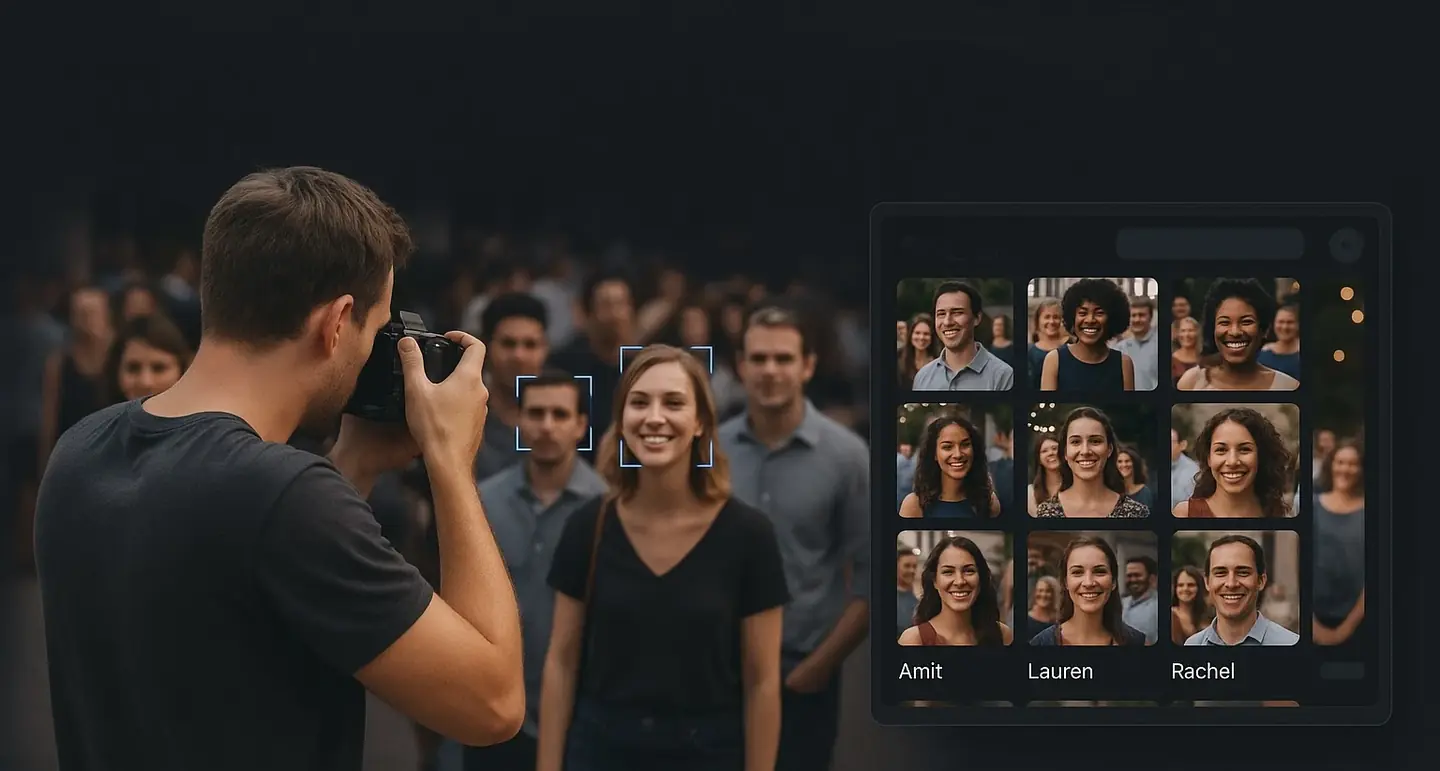
A guest sees the photos matched to them in the event gallery.
AI photo sharing automates the process of helping guests find their own event photos. ShowMyPhoto detects and indexes faces in uploaded event images; guests then use a selfie or QR code to find matched photos and can view, favorite, download or receive them through supported delivery options.
The workflow is designed around one simple goal: reduce the work required to find and deliver personal photos from a busy event.
Create an event, add branding, configure download or watermark settings, and obtain the event share link and QR code.
Upload through the browser or use the Windows Instant Uploader to send new photos during a live event.
Faces are detected and indexed in the background so you do not need to manually tag people or sort every image.
A guest opens the event, takes a selfie or uses the event QR route, and receives photos matched to that event.
The guest experience starts with the event link or QR code. The guest can use a normal phone browser, take a selfie, and see a personal set of event photos rather than manually searching a long gallery.
Guests do not need to install an app or create an account just to use the event photo search flow. This lowers friction for weddings, parties, conferences, school functions and other one-time events.
Give guests a simple way to find reception photos and collect favorites for album work.
Use branded event galleries, guest contact capture and controlled delivery as part of the studio workflow.
Serve conferences, annual days, college fests and similar events where many people want only their own images.
Help participants locate their photos without relying on manual sorting by name or participant number.
| Task | Shared folder / group link | ShowMyPhoto |
|---|---|---|
| Finding photos | Guests browse a large gallery. | A selfie helps return photos matched to the guest. |
| Guest access | People receive the same collection. | Guest access can be centered on their matched photos. |
| Branding | Generic storage or messaging experience. | Branded event gallery and event URL. |
| Protection | Depends on the storage method used. | Watermark and per-event download controls are available. |
| Delivery | Photographer sends links manually. | Gallery, WhatsApp and email delivery are supported. |
Check whether guests need an app, registration or manual gallery browsing for a one-time event.
Understand whether guests see the complete gallery or a matched set, and review the provider's privacy and data-removal information.
For same-event sharing, check whether your workflow can upload new photos while the event is still running.
Compare photo limits, event limits, validity, WhatsApp credits and other configured features rather than looking only at the headline price.
ShowMyPhoto pricing varies by country and is displayed in the applicable currency. Plans can differ by photo capacity, event limits, validity, WhatsApp credits and other configured features. View the full pricing page for the current plans available in your region.
4 events · 2000 photos
Plan validity: 30 days
1 events · 10000 photos
Plan validity: 30 days
Unlimited events · 30000 photos
Plan validity: 365 days
It means using AI to detect and index faces in uploaded event photos so guests can search for photos they appear in using a selfie or QR code.
No. The guest flow can run in a normal browser using the event link or QR code and a selfie.
Yes. The Windows Instant Uploader can send photos to the event gallery as they are captured.
Supported event settings and plans can provide WhatsApp and email delivery in addition to browser gallery access.
A shared folder normally gives everyone the same collection and requires manual browsing. AI photo sharing is designed to help each guest find the photos they appear in.
Pricing varies by country. Use the pricing section and the full pricing page for the current plans and prices applicable to your region.
Start with a free event, upload a small set of real photos, and test the guest search flow on your own phone.