Detect
When photos are uploaded, the AI identifies visible faces in the images, including faces in group shots.
ShowMyPhoto uses AI face matching to help guests find the event photos they appear in. Upload photos, let faces be indexed, and let guests use a selfie to retrieve matched photos from that specific event gallery.
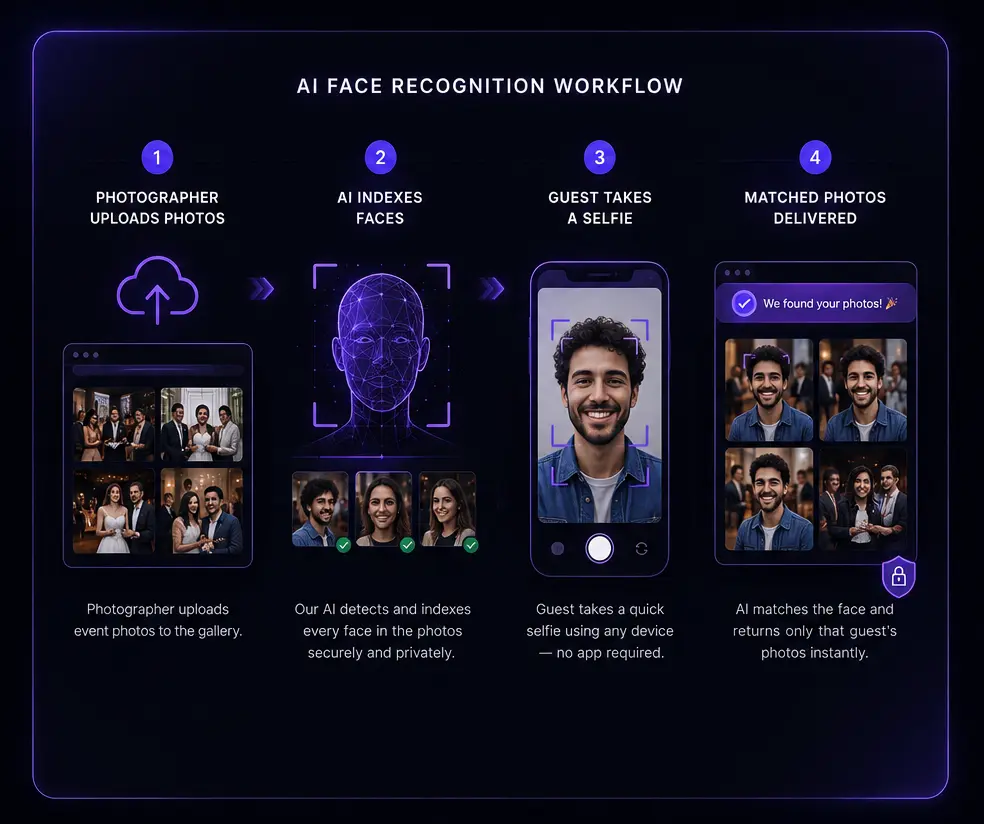
Upload → index faces → selfie → matched photos.
Face recognition photo sharing lets an event guest use a selfie to find photos of themselves. ShowMyPhoto indexes faces from uploaded event photos, compares the guest selfie with that event's index, and returns matching photos for viewing, favorites, download, WhatsApp or email delivery.
When photos are uploaded, the AI identifies visible faces in the images, including faces in group shots.
Those faces are added to the searchable index for the event so the gallery can respond to guest searches.
The guest selfie is compared with faces indexed for that event, rather than a single global face database.
Matching photos are shown to the guest, while other event photos remain outside the matched result.
Matching is scoped to a single event gallery. The guest selfie searches the event it was submitted for.
Guests see photos matched to their submitted selfie rather than simply receiving the whole gallery. No facial data is presented as public gallery content.
Photographers can configure watermarks, download settings and event-level access controls, and can collect guest contact details where enabled.
ShowMyPhoto publishes privacy information and provides a data-removal request route. Review the privacy policy for the current details.
Good event practice is to tell guests that a selfie is used to locate their photos and to keep an alternative way to obtain photos for anyone who does not want to use face search.
No face-matching system should be treated as perfect. Results can depend on the quality, size, angle and visibility of faces in both the event photos and the guest selfie.
Guests can view, favorite and download photos in the browser when the event settings allow it.
Matched photos can be sent to the guest's number when WhatsApp delivery is enabled and credits are available.
Matched photos can also be delivered by email when the event configuration supports it.
ShowMyPhoto pricing varies by country and is displayed in the applicable currency. Plans can differ by photo capacity, event limits, validity, WhatsApp credits and other configured features. View the full pricing page for the current plans available in your region.
After photos are uploaded, faces are detected and indexed for the event. A guest submits a selfie, the system compares it with that event index, and matching photos are returned.
The guest flow is designed to return matched event photos rather than exposing a public face-data collection. Review the privacy policy and event settings for current controls.
No. Matching results depend on image quality, angle, lighting, face size, sunglasses, masks, filters and other factors.
ShowMyPhoto states GDPR and India DPDPA compliance. The privacy policy explains the current approach and data-removal process.
Guests can use the event gallery and, when enabled, receive matched photos through WhatsApp or email.
Yes. Give guests a clear explanation of the selfie search process and provide an alternative route where appropriate.
Create a free event, upload a sample of real event photos and test the selfie search before using it with clients.